How do I remove products from a subscription?Updated 8 months ago
Removing products from your subscription
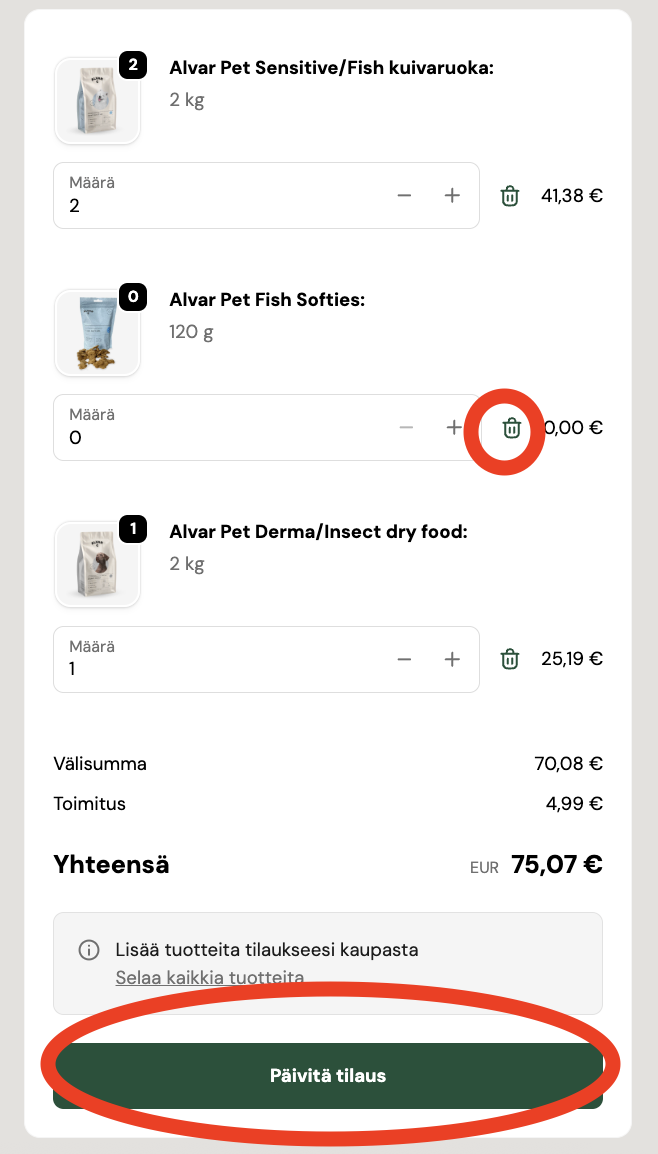
You can easily remove products from your subscription on the customer pages. Click the trash can icon next to the product row, and the product quantity will change to 0. Then click the green “Päivitä tilaus” button, and the product will be removed from view.
❗ You cannot remove all products from a subscription at once. If you want to replace all products in your subscription, first add a new product to your subscription and only then remove the extra products.