How do I update address or billing information?Updated 9 months ago
Updating customer details on a subscription
Changing the delivery address:
You can easily update your delivery address on the subscription management page. Your current delivery address is shown on the main page, and you can edit the address details by clicking the pencil icon next to it.
Changing the delivery method:
You can change the delivery method on the subscription management page. Click the pencil icon next to the delivery method and select your preferred delivery option and pickup point for your upcoming order.
Updating billing details:
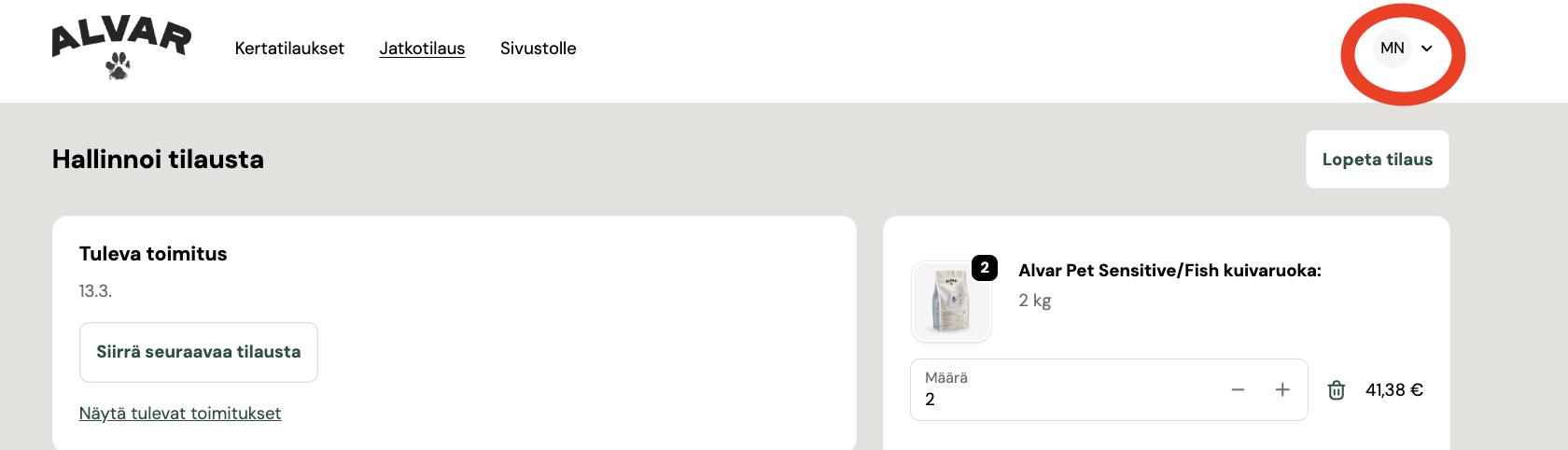
You can update your billing details through your profile on the customer pages. You can access your profile via the initials shown in the top-right corner. Your current billing details can be found under the “Maksutavat” section, where you can also add a new payment card to your subscription.